
Your business numbers, ringing in Microsoft Teams.
People who live in Teams take outside calls there, on the same ArcNet number and extension as their desk phone. Calls out from Teams go over ArcNet with your company's caller ID.
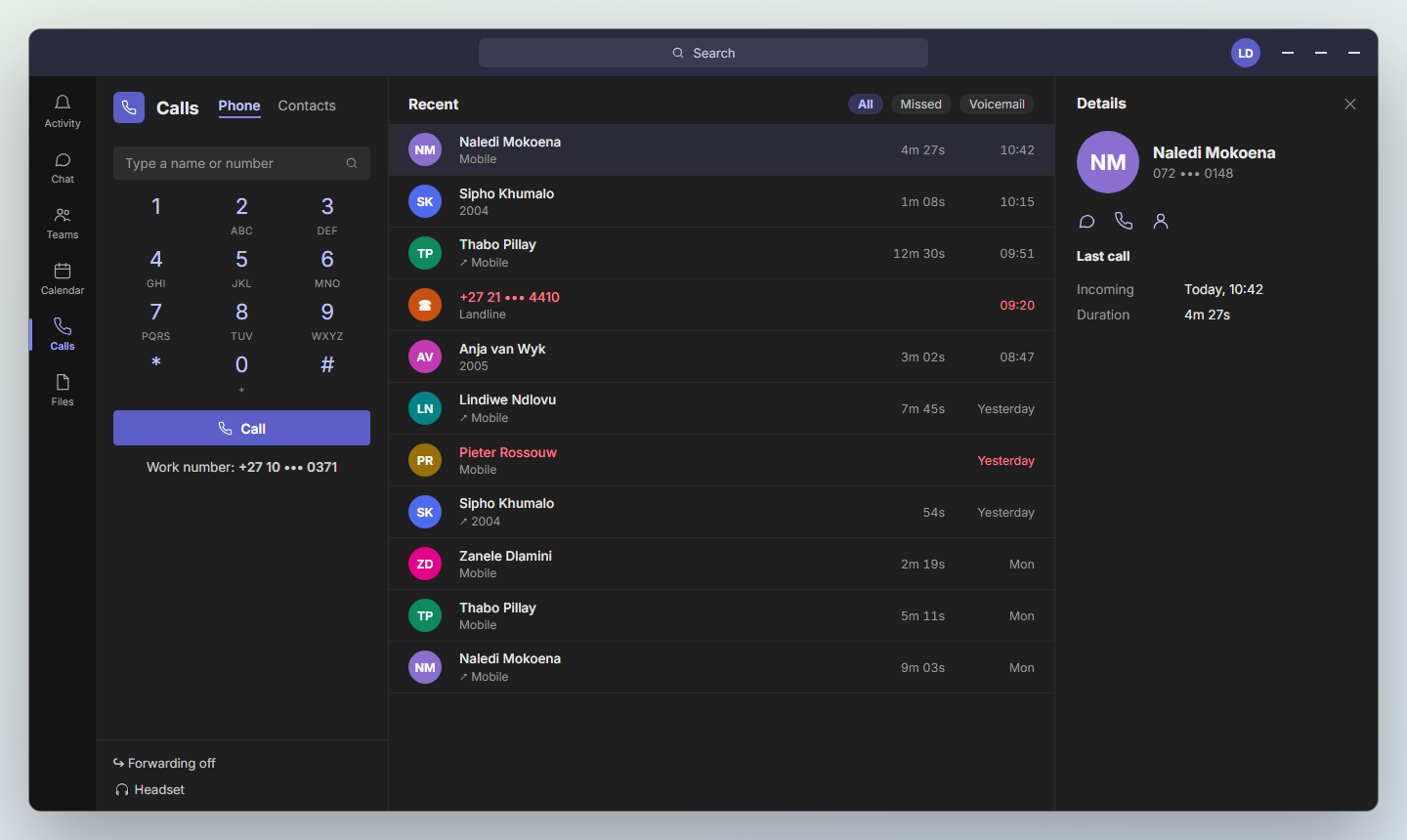
One extension, wherever the person answers
Teams is one more place an extension rings, not a separate phone line. A call to someone's extension, their direct number or a queue they're in reaches Teams at the same time as their desk phone and the ArcSIP app.
Whichever they answer first takes the call. Their forwarding, voicemail and the rest of your routing work exactly as they do today.
Native Teams calling, without changing provider
ArcNet connects to Teams with Microsoft's Direct Routing: your numbers stay with ArcNet, on ArcNet's rates, and Teams becomes another phone on your system.
Calls in, in Teams
Customers dial your normal numbers. The call rings in Teams with the caller's number, on every device the person is signed in to.
Calls out, from Teams
Dial any number from the Teams keypad. The call leaves over ArcNet's carrier with your company's caller ID, billed on your ArcNet account.
Queues reach Teams too
Someone in a queue or a hunt list gets its calls in Teams. If they've signed out of Teams, the queue moves on to someone who can answer.
Who's signed in, in the portal
Extensions that ring in Teams are marked as such, with whether the person is signed in, available or busy, beside their desk phone's status.
Connected with Microsoft's own consent
Your Microsoft 365 admin approves ArcNet once, in Microsoft's own sign-in, and can withdraw it there at any time.
Per person, not all or nothing
Turn Teams on for the people who want it. Everyone else keeps their desk phone and the app, on the same system.
Set up with you, once.
The Microsoft side takes an afternoon, and we do it with your Microsoft 365 admin. After that, adding a person is a field on their extension.
Connect Microsoft 365
Your admin signs in and approves ArcNet. We publish the domain records Teams needs for your account.
Point Teams at ArcNet
Your admin runs one script we prepare for your account, which tells Teams to send calls to ArcNet and gives people their numbers.
Turn it on per extension
In the portal, enter the person's Microsoft 365 sign-in on their extension. Their next call rings in Teams.
Each person who calls from Teams needs a Microsoft Teams Phone licence from Microsoft, included in some Microsoft 365 plans. No Microsoft Calling Plan is needed: ArcNet is the phone line.
Bring your phones into Teams
Tell us how many people use Teams today, and we'll show you calls ringing there on your own numbers.