
A contact centre on the same system as your phones.
No second platform to buy, connect and keep in step. Your queues, agents, wallboards and quality checks live beside the extensions and numbers they use.
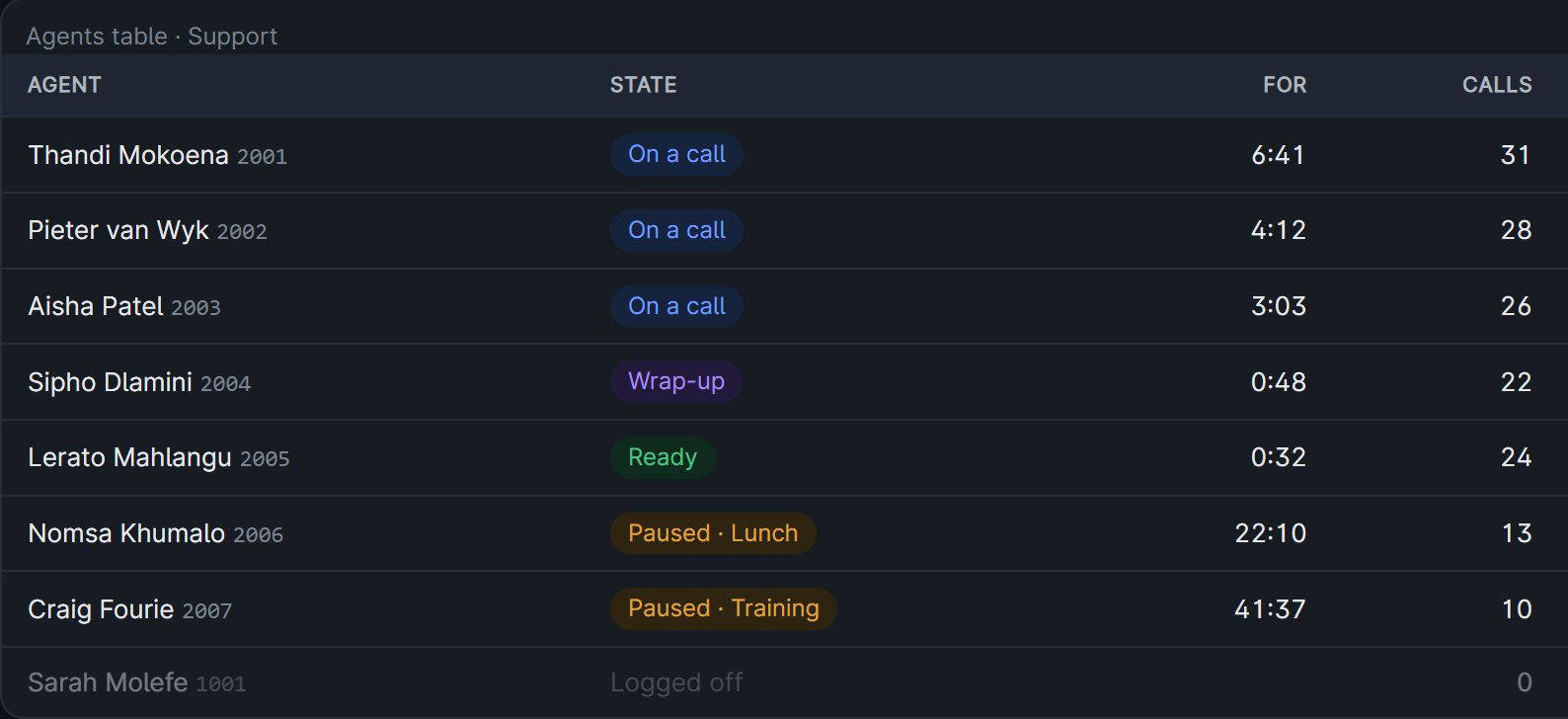
Queues and agents
Call queues
Callers wait with music until someone is free. Agents are offered calls by tier, so your most experienced people take the calls that need them.
Agent workspace
Agents sign in to a shift in the browser, take calls on the built-in phone, and pause with a reason, whether that's lunch, training or admin.
Wrap-up that fits the queue
Give each queue its own wrap-up time, so agents finish their notes before the next call arrives.
Every queue, live, on the wall.
Who is waiting and for how long, who is ready, on a call or paused, and how the day is going, updating as it happens.
- Start from a ready-made board, or build your own from the tiles you want
- Size each tile, save the board for the team, show it full screen on a TV
- Colour only where a number needs attention, so problems stand out

Every call ends with an outcome.
When a call ends, the agent records how it went, from your own list of outcomes, with a note where you ask for one. Reports then show what your calls achieved, not just how many there were.
- A call that reached nobody is saved in one tap, and says what happens next
- Your own list of outcomes, colour-coded as positive, neutral or negative, each showing what it does to the lead
- Require a note on the outcomes that need one
- Outcomes shown with each call in the history and in the reports

Work through a call list without dialling a number.
Load a list, and each agent gets the next person to call with everything you know about them. The same queues, outcomes and reports as your inbound calls.
- Preview campaigns, or progressive ones that dial the next lead as soon as the agent is free
- Answering machine detection, callbacks, retries by outcome and a do-not-call list
- Calls only within legal calling hours, with caller ID from a pool of your numbers

Every call marked against your own scorecard
Calls are transcribed and checked against the questions you care about: did the agent say the recording notice, verify the caller, give a reference number. Each answer comes with the reason and the moment in the call it's based on.
- Questions that fail the whole call, like skipping verification
- Required phrases checked word for word
- How the caller and the agent came across, and where the call turned
- A supervisor can change any answer, and the original stays on record

Reports your supervisors will actually read
See which agents need coaching and which questions trip your team up, by agent, department, queue or campaign, and how it's moving week by week.
- Average mark, pass rate, auto-fails and sentiment for each person
- The weakest scorecard items first
- Download the report as a PDF or spreadsheet
- Search what was said across every checked call

The whole call, word for word
Every checked call keeps its transcript, split by who spoke, beside a short summary of how it went. Click a moment in a finding and the transcript jumps to it.
Transcription and marking run on your own AI provider keys, or ours. Transcripts belong to the account: the reseller and ArcNet can't read them.

Queue reports that explain themselves
For each queue: how many callers came in, how many were answered, how long they waited and why the others left, with each agent's calls and talk time.
- Service level: how many were answered within 5, 10, 20 and 30 seconds
- Why callers gave up, and how long they'd waited
- Offers, answers and talk time for every agent

Running a support or sales team?
Tell us how many agents you have and how they work today.